Free during the beta · ages 3 to 16
Your homeschool week, planned from your own books.
Join the beta (free) Try the demo, no sign-up
HomeKiddo is a free homeschool planner for children aged 3 to 16. Photograph a workbook's table of contents and get a week-by-week plan, or add lessons yourself. Your child works through today on their own device, and finished lessons fill a printable portfolio.
Calm by design: no ads, no tracking and no day-in-a-row streaks.
Already have an account? Log in
HomeKiddo is a product in beta, so issues may occur.

See HomeKiddo in just over a minute

Plan a whole workbook, week by week
- Start with a photo of the table of contents. HomeKiddo reads the chapters and pages for you, usually within a few minutes.
- Your days, your pace. Pick the start date, school days, morning or afternoon, and a calm, normal or quick pace, with optional review lessons every few weeks and a buffer day each week.
- You stay in charge. Fix chapters, tick what's already done, then move, split, merge or remove lessons. Nothing reaches your child until you tap Schedule.
- Plans that bend. Days off you've already set are planned around, and the preview flags any clash. Missed a lesson? Tap Missed, replan to catch up just that one or shift the rest of the plan along, with a preview first and undo after.
You decide every lesson.
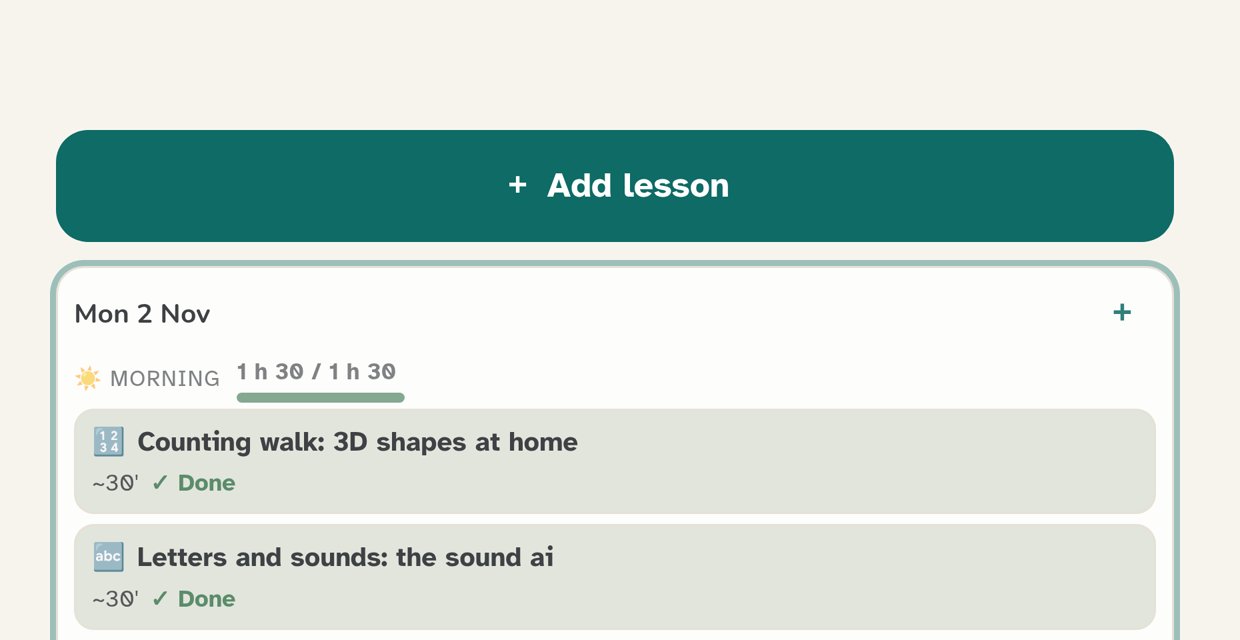
Use the Week plan to plan by day or by week, for the morning, the afternoon or any time. Tap + Add lesson, or make a lesson repeat on set days. Use your own curriculum or book, and add worksheets, photos or a YouTube video. Choose how each lesson is handed in: a tick, typed answers you check, or a photo of the work.
Lesson titles in this example come from the sample book.

Your child works on their own.
On their own device, connected with a code. No email or password needed. Your child sees today's lessons, starts the next one and ticks it off. Later days are view-only, so tomorrow's work waits for tomorrow.
One family, several children.
Add up to six children, each with a nickname only. Every child gets their own Week plan, book plans and page, and you see what's waiting for each child or for all of them together.

Your portfolio builds itself.
Finished lessons, answers, photos and files go into each child's portfolio, by day or by subject. Print it, or export a day, a week, a month or everything as PDF, a ZIP of photos and files, or CSV.

Safe and calm.
Your child only sees lessons and videos you've added or approved. Videos play inside the lesson, with no autoplay, no related videos and no way through to YouTube. We only ask for a nickname, never an age. No ads, no tracking, no streak counters. In English, Dutch, German, Spanish, French, Portuguese and Arabic.
How the homeschool planner works
- Sign up with your email address. You get a code, no password.
- Add your children with a nickname and connect each device with a code.
- Plan this week's lessons, or photograph a workbook and let HomeKiddo plan it. Your child starts; you see what's done.
HomeKiddo in action
Look around a sample family with two kids, Sprout and Comet, and click on anything you like. Your changes reset, and there’s no sign-up.
Questions
Is HomeKiddo free?
Yes. HomeKiddo is free during the beta. There are no payments and no ads.
Can I use my own curriculum and workbooks?
Yes. Use any curriculum, any book or your own lessons. For a workbook, take a photo of the table of contents. HomeKiddo uses Google's Gemini to read the chapters and pages, usually within a few minutes, and you check the plan before you tap Schedule.
Can I plan for more than one child?
Yes, up to six children per family. Each child has their own Week plan, book plans, portfolio and device code.
What happens if we miss a day?
A missed lesson stays on your child's page until it's done. On a book plan or a repeating lesson, tap Missed, replan: catch up just that lesson, or shift the rest along by one school day. Your days off are respected, you see a preview first, and you can undo it.
Does the portfolio count as a homeschool record?
You can print or export each child's portfolio as a record of their work. What you need to keep depends on the rules where you live, so please check them yourself.
What does my child need?
A tablet or computer with a web browser. Your child connects with a code from you and doesn't need an email address or a password.
Is it safe for my child, and what do you keep?
The only thing we ask about your child is a nickname: no age, no date of birth. Your child only sees lessons and videos you've added or approved. Notifications are off until you switch them on and never show names or lesson content. Backups are erased within 14 days at the latest.
Plan your next homeschool week with HomeKiddo.
Free during the beta. No ads. Already have an account? Log in